

If you’re choosing a website builder for a small business, Framer and Wix are two of the most talked-about options in 2026 — but they’re built for different people. Framer is a design-forward tool that started as a favorite of professional designers, while Wix is the all-in-one builder millions of small businesses have used for years to get online fast.
Table of Contents
This guide breaks down how the two actually compare on price, ease of use, SEO, and ecommerce, so you can pick the one that fits your business instead of the one with the flashier landing page.
Quick Answer
Wix is the better pick for most small business owners who want an easy, guided setup with built-in ecommerce, booking, and marketing tools out of the box. Framer is the better pick if you (or a designer you hire) want a faster, more polished, custom-looking site and don’t mind a steeper learning curve.
How Framer and Wix Actually Differ
Framer works like a design canvas similar to Figma — you place elements freely, build reusable components, and get precise control over layout and animation. It ships with an AI site builder that can draft pages and first-pass copy, plus a built-in CMS for blogs or portfolios, hosting, basic SEO controls, and analytics. It’s genuinely fast to build a professional-looking site in, but it assumes some comfort with design tools; total beginners often need a template or a bit of trial and error to get comfortable.
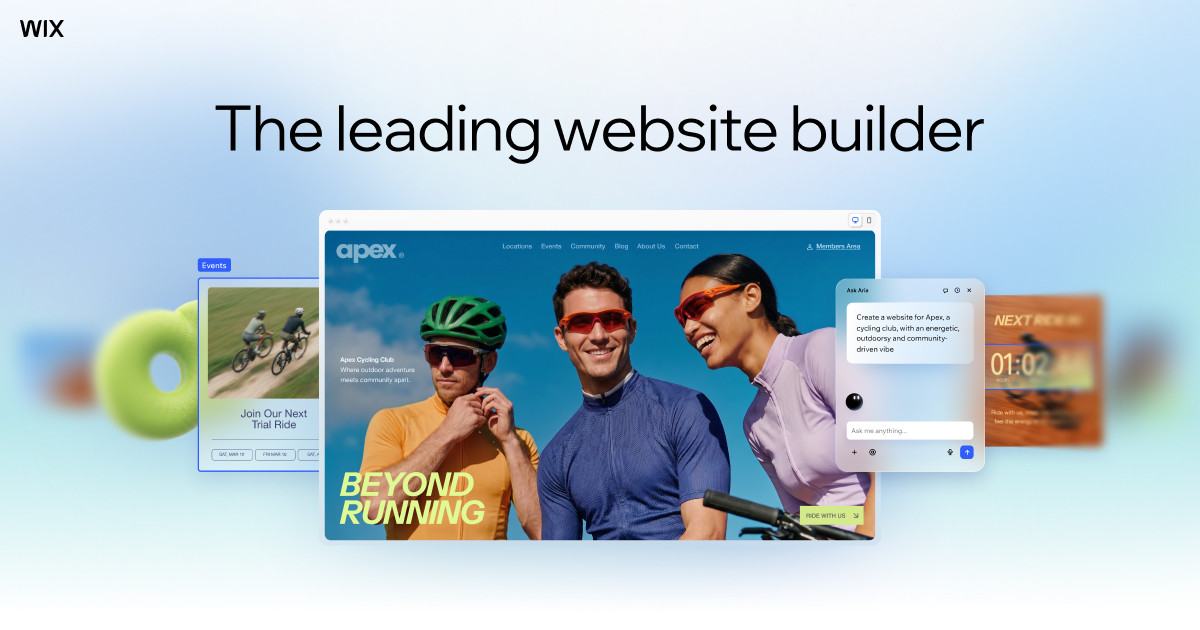
Wix takes a more guided approach. Its AI setup asks about your business and builds out a starting site for you, and its drag-and-drop editor is built to be usable with zero design background. Beyond the site itself, Wix bundles ecommerce, online booking and scheduling, email marketing, and an app marketplace (Wix App Market) so a small business can run most of its online operations from one dashboard — not just host a website.
On pricing, Framer’s paid plans run from roughly $10/month (Basic) to $30/month (Pro) when billed yearly, with extra editor seats and A/B testing billed separately. Wix’s premium plans span a wider range, from about $17/month (Light) up to $39/month (Business) for most small-business needs, with a pricier Business Elite tier above that for larger stores. Both offer free plans to test-drive the editor before you commit.
Which One Fits Your Business
Choose Wix if you’re setting up your first business site, need built-in ecommerce or booking without hunting for third-party apps, or want a support team and huge app marketplace to lean on when you get stuck. It’s the more forgiving option if you’re doing this yourself with no design or coding background.
Choose Framer if brand and design quality matter a lot to your business — agencies, studios, consultants, and product-led companies often prefer it — or if page speed and clean, lightweight code are a priority for you. Framer’s sites tend to load fast and look custom rather than templated, which can matter for a business where first impressions carry real weight, but you’ll likely spend more time in the editor or budget for a freelancer to build it.
Selling physical products at real volume tips the scale toward Wix, since its ecommerce, inventory, and marketing tools are more mature out of the box. A service business, portfolio, or content-driven site where design stands out is where Framer tends to shine.
Tips and Common Mistakes
Don’t pick a plan based on the homepage price alone — both platforms charge noticeably more if you pay monthly instead of annually, and features like extra CMS collections, A/B testing, or additional collaborators can push you into a higher tier than you expected. Map out what you actually need (custom domain, number of pages, ecommerce, team seats) before comparing prices.
Don’t assume ‘easier to use’ means ‘better for SEO.’ Wix’s built-in SEO tools are more guided, but Framer’s lighter output and faster load times can be an SEO advantage in their own right — either platform can rank well if you fill out titles, meta descriptions, and alt text properly.
Try before you buy. Both Framer and Wix offer free plans or trials — build a rough version of your homepage in each before paying for a year upfront, so you know which editor you’ll actually enjoy working in.
Explore more: More small business tech guides.
Framer vs Wix FAQs
Is Framer or Wix better for beginners?
Wix is easier for beginners. Its AI-assisted setup and drag-and-drop editor are built for people with no design background, while Framer’s canvas-style editor has more of a learning curve.
Which is cheaper, Framer or Wix?
Framer’s entry paid plans are generally cheaper (around $10-$30/month billed yearly) than Wix’s comparable plans (around $17-$39/month), but Wix bundles more built-in business tools like ecommerce and booking at those price points.
Can I sell products on Framer?
Framer supports ecommerce through integrations, but it’s not as built-out or beginner-friendly as Wix’s native ecommerce tools, which include inventory management, checkout, and marketing features designed specifically for online stores.
Does Framer or Wix load faster?
Framer is generally known for faster page speeds and cleaner code output, which can be an advantage for SEO and user experience, though both platforms can perform well if the site is built and optimized carefully.
Build It With GTStudios
Need help with your website, app, or small-business tech? GTStudios builds web, apps, and software for small businesses. See how GTStudios can help.
Want dev news in your inbox? Subscribe to the free newsletter.
Images: Framer.