

Most small business owners assume getting to Google’s first page requires a hefty advertising budget. It doesn’t. Organic SEO — earning rankings rather than buying them — is one of the most cost-effective long-term growth strategies available, and the core tools Google provides to help you do it are completely free.
Table of Contents
This guide walks you through exactly what to do: from claiming your Google Business Profile to structuring your web pages so Google’s AI systems are eager to feature them. Organic results take consistent effort over several months to build, but the traffic compounds in a way paid ads never will — and it keeps working even when you stop actively pushing.

Quick Answer
Getting your small business onto Google’s first page without ads comes down to three things: a fully optimized Google Business Profile, properly structured website pages targeting the right keywords, and consistent content that directly answers real customer questions. Start with the free tools Google already gives you — Google Business Profile, Google Search Console, and Google Analytics 4 — and build from there.
Step 1: Claim Google’s Free Toolkit Before Anything Else
Three free tools from Google form the non-negotiable foundation of any small business SEO strategy. Google Business Profile (GBP) powers your listing in the Map Pack — those prominent results with star ratings and a map that appear above the regular blue links for local searches. Google Search Console connects your website to Google directly: you submit your sitemap, see which search queries bring visitors, and spot any crawl errors Google has found. Google Analytics 4 tracks what users do once they land on your site, helping you identify which pages convert and which need work.
A fourth free tool, Google PageSpeed Insights, tests how fast your pages load on mobile and desktop and flags the specific issues slowing them down. Page speed is a ranking factor, and Google ranks the mobile version of your site first, so this matters more than most business owners realize. Set all four tools up before spending money on anything else.
Step 2: Optimize Your Google Business Profile for Local Rankings
Your GBP listing is often the very first thing a local customer sees when they search for what you offer. Completing it fully — and keeping it active — is the single fastest path to appearing in local search results. Fill in every available field: your exact business name, address, phone number, website, hours, primary and secondary categories, and a description that naturally includes the keywords your customers use when searching for you.
Beyond the basics, upload real photos regularly (interior, exterior, products, team) and publish at least one post per week — offers, events, updates — to signal to Google that your profile is active and current. Customer reviews carry significant weight in local rankings: ask satisfied customers to leave a review and respond to every one, positive or critical. Finally, make sure your business name, address, and phone number (your NAP) are identical character-for-character on your website, GBP, Yelp, Facebook, and every other directory where you appear. Inconsistencies here suppress local visibility.
Step 3: Get the On-Page SEO Basics Right
Each page of your website should target one clear topic or search query. For every page, write a title tag of 50–60 characters with your primary keyword near the front (for example: “Plumber in Austin, TX | Same-Day Service”). Write a meta description under 160 characters that summarizes the page and gives a reason to click — it doesn’t directly affect rankings, but it significantly influences how many people click through from search results.
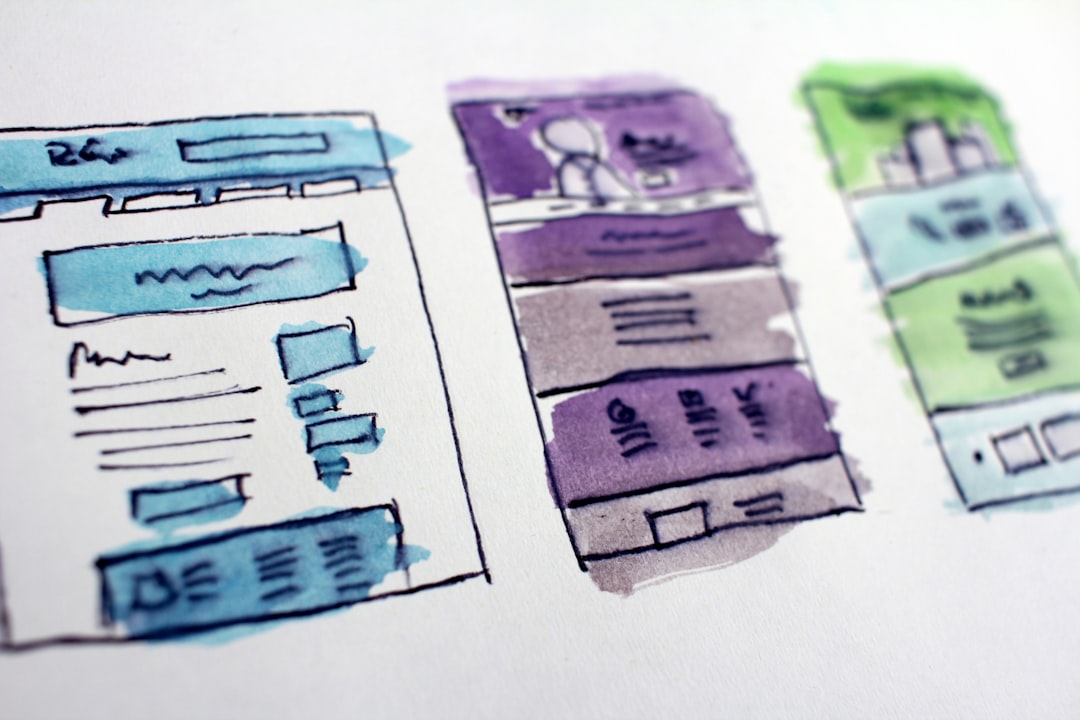
Use one H1 heading per page that matches the topic, then break the rest of the page into scannable sections with H2 and H3 subheadings. Keep your URL slugs short and keyword-containing (/austin-plumber rather than /page?id=47). Include your main keyword naturally in the first paragraph of the page’s body copy. These aren’t tricks — they’re how you tell both Google and your visitor exactly what the page is about.
Step 4: Create Content That Earns Rankings and AI Overviews
Google in 2026 increasingly surfaces content through AI Overviews — AI-generated answer boxes at the top of results that synthesize information from several sources. Getting cited there, or in a traditional featured snippet, follows the same logic: answer the specific question clearly and directly, ideally in the first paragraph of the relevant section.
For your service pages, go beyond a basic description. Add sections that answer the questions customers actually ask: what it costs, how long it takes, what to look for when hiring, and what the process looks like. Including a clearly structured FAQ section in your page copy helps Google understand your content and increases the likelihood of being cited in AI Overviews and featured snippets — even though Google removed the dedicated FAQ rich results feature from Search in May 2026, the underlying question-and-answer content remains valuable for visibility. For your blog, target question-based searches your customers type: “how to,” “what is,” “best [service] in [city].” Refresh older articles with current information at least once a year to stay relevant.
Step 5: Build Local Authority Without Buying Links
Backlinks — other websites linking to yours — remain one of Google’s strongest trust signals. You don’t need to buy them. Get your business listed with your local Chamber of Commerce, industry associations, and relevant local directories; most of these provide a free or low-cost link. When you have a genuine story — a community sponsorship, a milestone, a local hire — pitch your local news outlet. Write guest posts for complementary businesses whose audience overlaps with yours. Sponsor local events that list sponsors on their site. Each of these earns a real link and builds your reputation in the community at the same time.
Common Mistakes — and How to Avoid Them
Ignoring mobile page speed is the most common technical mistake. Use Google PageSpeed Insights and aim for a Largest Contentful Paint (LCP) under 2.5 seconds on mobile — Google uses Core Web Vitals as a ranking signal, and a slow site can hold you back even when everything else is right. Duplicate content is another trap: copying the same service description across multiple location pages gives Google no reason to rank any of them. Every page needs genuinely unique, useful copy. Skipping Google Search Console means you’re flying blind — log in monthly to see which queries drive impressions but not clicks (those title tags need rewriting) and whether Google has flagged any indexing errors. Finally, set realistic timelines. Organic SEO typically takes three to six months before rankings move meaningfully. Consistent effort over that period beats sporadic bursts every time.
Explore more: More Digital Strategy guides.
Small business SEO first page Google FAQs
How long does it take to rank on Google’s first page without ads?
Most small businesses see meaningful ranking movement after three to six months of consistent SEO effort. Competitive niches in large metro areas can take longer; local searches in smaller or less crowded markets can move faster. The key is consistency — publishing and optimizing regularly rather than doing a one-time sprint.
Do I need to hire an SEO agency to rank without ads?
Not necessarily, especially when you’re starting out. The fundamentals — Google Business Profile, Search Console setup, on-page optimization, and regular content — are manageable in-house with a few hours per week. An agency adds value when competition is fierce, you need technical work (site architecture, Core Web Vitals fixes), or you simply don’t have the time to stay consistent.
What’s the single most important first step I can take today?
Claim and fully complete your Google Business Profile if you haven’t already. It’s free, takes under an hour, and is the fastest path to appearing in local search results and the Map Pack — often before your website itself ranks for anything.
What is a Google AI Overview and how do I get my business featured in one?
AI Overviews are AI-generated answer boxes Google places at the top of many search results, pulling from multiple sources. To be cited, structure your content to answer specific questions directly in the opening paragraph of each section, write clear FAQ-style content on your key pages, and keep your Google Business Profile complete and regularly updated.
Build It With GTStudios
Need help shipping your app, game, or small-business tech? GTStudios builds web, apps, and games. See how GTStudios can help.
Photo by Growtika on Unsplash.