
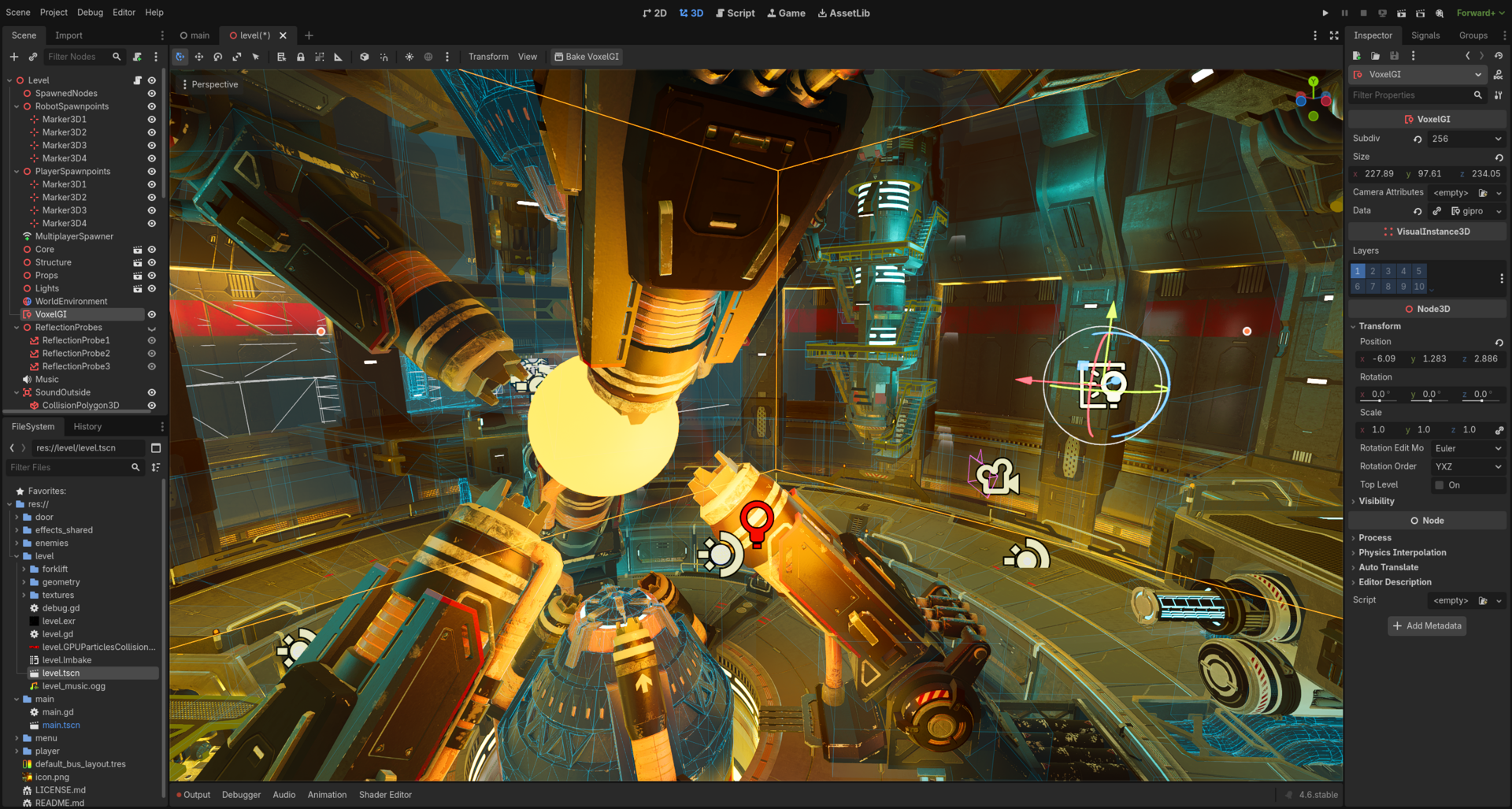
Shaders are what separate a game that looks ‘done’ from one that feels polished. In Godot 4 (stable at 4.7 as of mid-2026), writing your own shaders is surprisingly approachable thanks to GDShader — a language modeled on GLSL ES 3.0 that integrates directly with the Godot Inspector.
Table of Contents
One of the most-searched, and most-misunderstood, pieces of that language is `hint_screen_texture` — the uniform hint that replaced Godot 3’s built-in `SCREEN_TEXTURE` variable. Get it wrong and your screen-space effect renders black, empty, or tanks your frame rate; get it right and you unlock heat haze, chromatic aberration, frosted glass, and dozens of other post-processing tricks. This guide covers `hint_screen_texture` in full depth — syntax, timing, BackBufferCopy, its depth/normal-texture siblings, and every gotcha reported against the engine — then walks through seven practical shader effects every indie developer should have in their toolkit.
Quick Answer
`hint_screen_texture` is a sampler2D hint you attach to a uniform to read the current frame as a texture, since Godot 4 removed the old `SCREEN_TEXTURE` built-in: `uniform sampler2D screen_tex : hint_screen_texture, filter_linear_mipmap;` then sample it in `fragment()` with `texture(screen_tex, SCREEN_UV)`. It works in both `canvas_item` and `spatial` shaders, only inside `fragment()` (never `vertex()`), and adding a mipmap filter hint lets you pull a pre-blurred version of the screen for free.
How Godot 4 Shaders Work
Godot 4 supports five shader types declared on line one — `canvas_item`, `spatial`, `particles`, `sky`, and `fog` — and each type runs its own processor functions rather than a single shared pair. `canvas_item` and `spatial` shaders run a `vertex()` stage (once per mesh corner, controls position) and a `fragment()` stage (once per pixel, controls color) — around 90% of visual effects live entirely in `fragment()`. `particles` shaders instead run `start()` and `process()` once per particle, `sky` shaders run a single `sky()` function per pixel of the rendered sky/radiance cubemap, and `fog` shaders run a single `fog()` function per froxel in the volumetric fog buffer. `hint_screen_texture`, the focus of this guide, only exists in `canvas_item` and `spatial` shaders and is only readable inside `fragment()`. Picking the wrong shader type is the most common beginner mistake — a spatial shader on a Sprite2D silently does nothing, and a canvas_item shader can’t be attached to a MeshInstance3D at all.
How to Use hint_screen_texture for Screen-Space Effects in Godot 4
Godot 3 exposed the current frame through a built-in variable called `SCREEN_TEXTURE`. Godot 4 removed that built-in entirely (godotengine/godot PR #70967) in favor of an explicit uniform: `uniform sampler2D screen_texture : hint_screen_texture;`. You then sample it with the built-in `SCREEN_UV` coordinate: `vec3 screen_color = texture(screen_texture, SCREEN_UV).rgb;`. This hint works identically in `canvas_item` shaders (2D) and `spatial` shaders (3D) — the syntax doesn’t change, only what gets captured does.
The 2D and 3D capture timing differs, and that explains most ‘why is my screen texture empty or wrong’ questions. In 2D, the first CanvasItem in draw order that reads `hint_screen_texture` triggers a one-time, full-screen copy to a back buffer for that frame; nodes drawn after it see everything below them, and Godot intentionally does not re-copy for every subsequent node. In 3D, the screen is copied after opaque geometry is drawn but before transparent geometry, so transparent objects never show up in a spatial shader’s screen-texture read — a frequent source of confusion when a glass or particle effect appears to ‘see through itself.’
A trick most tutorials skip: add a filter hint with mipmaps — `filter_linear_mipmap` or `filter_nearest_mipmap` — and Godot automatically generates a blurred mip chain for you. Sampling with `textureLod(screen_texture, SCREEN_UV, blur_amount)` then gives you a cheap gaussian-ish blur without writing your own blur pass, which is exactly how frosted-glass UI panels and out-of-focus backgrounds are typically done in Godot 4.
Two gotchas to know before you ship: first, `hint_screen_texture` forces alpha to 1.0 even when reading from a scene with transparent regions (godotengine/godot#78413), so don’t rely on the alpha channel from a screen read — composite with `BackBufferCopy` and manual blending if you need real transparency. Second, sampling `hint_screen_texture` with mipmap filters has a real, measured GPU cost — reports on integrated graphics show a full-screen mipmapped screen read costing several milliseconds per frame even when the shader does nothing else (godotengine/godot#108935), so reserve mipmapped screen reads for effects that actually need blur, and prefer a plain `filter_linear` hint (no mipmap generation) for simple distortion or color-grading passes that only need a single sharp sample.
Do You Need a BackBufferCopy Node?
Most of the time, no. Godot’s automatic behavior — a full-screen copy the first time any CanvasItem in draw order reads `hint_screen_texture` — is enough for a single screen-space effect like heat haze or chromatic aberration. Add an explicit `BackBufferCopy` node when you need control the automatic copy doesn’t give you: its Rect copy mode lets you capture only a small region of the screen instead of the whole frame, which is cheaper if your effect only ever samples a small area.
The gotcha: if a `BackBufferCopy` node is processed before a shader that reads `hint_screen_texture`, Godot’s automatic full-screen copy does not happen — your shader instead receives whatever that node captured, which can be a partial or stale region if you weren’t intentional about placing it. This has also been a source of real bugs (godotengine/godot#111096, rect-mode copies not refreshing correctly), so if a screen-space shader looks ‘frozen’ or only partially updates, check for a `BackBufferCopy` node earlier in the same branch of the scene tree before you start debugging the shader itself.
Screen Texture’s Siblings: hint_depth_texture and hint_normal_roughness_texture
The same PR that removed `SCREEN_TEXTURE` also removed the built-ins `DEPTH_TEXTURE` and `NORMAL_ROUGHNESS_TEXTURE`, replacing them with `hint_depth_texture` and `hint_normal_roughness_texture` — the same pattern as the screen hint. `uniform sampler2D depth_tex : hint_depth_texture;` gives you per-pixel scene depth, useful for depth-based fog, soft particles, and screen-space outlines. `uniform sampler2D normal_tex : hint_normal_roughness_texture;` gives you per-pixel world normals and roughness, useful for outlines that trigger on geometry edges rather than just depth discontinuities.
Two restrictions matter here. Both hints are spatial (3D) only — they don’t exist in `canvas_item` shaders, since 2D has no depth or normal buffer to read. And `hint_normal_roughness_texture` specifically requires the Forward+ renderer; using it on the Mobile renderer causes a shader compilation failure (godotengine/godot#78411). `hint_screen_texture` itself is supported across Forward+, Mobile, and Compatibility, but mipmap-based blur reads have shown renderer-specific filtering artifacts on Mobile in some 4.x builds (godotengine/godot#91474) — worth a quick test on your actual target renderer before you ship a blur-heavy effect.
Setting Up a Godot 4 Shader
Add a ShaderMaterial to a Sprite2D or MeshInstance3D, then a new Shader resource. Line one must be `shader_type canvas_item;` (or `spatial`). A minimal passthrough is `void fragment() { COLOR = texture(TEXTURE, UV); }`. Expose tunables with `uniform float threshold : hint_range(0.0, 1.0) = 0.5;` — it becomes an Inspector slider instantly, and you update it at runtime with `material.set_shader_parameter(“threshold”, 0.8)`. Always pass floats as floats (`1.0`, not `1`), and note `set_shader_param` from Godot 3 no longer exists.
Effect 1 — Sprite Outline
Sample the alpha of the four neighboring pixels offset by `TEXTURE_PIXEL_SIZE`. If the current pixel is transparent and a neighbor is opaque, paint it with `outline_color`. Use the `source_color` hint on the color uniform (`uniform vec4 outline_color : source_color = vec4(1.0);`) so it renders as a proper color picker in the Inspector instead of a raw vector4 field, and wrap the width in `hint_range` so it can’t go negative.
Effect 2 — Dissolve / Burn
Sample a noise texture and compare it against a `dissolve_amount` uniform (`hint_range(0.0, 1.0)`). Where the noise value is below the threshold, `discard;` the pixel entirely. For the glowing burn line, check a narrow band just above the threshold and swap in an `edge_color`: `if (noise < dissolve_amount + edge_width) COLOR = edge_color;`. Animate `dissolve_amount` from 0 to 1 with a Tween for the classic 'enemy dissolves on death' effect — this is the single most-requested effect in Godot shader tutorials for a reason.
Effect 3 — Water Ripple / Heat Haze (Screen-Space)
This is the effect that actually needs `hint_screen_texture`. Declare `uniform sampler2D screen_tex : hint_screen_texture, filter_linear;`, then offset `SCREEN_UV` with a scrolling sine wave or noise before sampling: `vec2 distortion = vec2(sin(SCREEN_UV.y * 40.0 + TIME * 4.0), cos(SCREEN_UV.x * 40.0 + TIME * 4.0)) * strength; COLOR.rgb = texture(screen_tex, SCREEN_UV + distortion).rgb;`. Attach the material to a transparent Sprite2D or ColorRect placed over the area you want to warp — the shader doesn’t draw new geometry color, it redraws a distorted copy of whatever is already rendered behind it, which is exactly how heat haze and water-surface refraction are done without a second camera or viewport.
Effect 4 — Hit Flash
Mix the sprite’s normal color toward a `flash_color` based on a `flash_amount` uniform while preserving alpha: `COLOR = vec4(mix(texture(TEXTURE, UV).rgb, flash_color.rgb, flash_amount), texture(TEXTURE, UV).a);`. On taking damage, set `flash_amount` to 1.0 from GDScript, then tween it back to 0.0 over roughly 0.1–0.15 seconds — the near-universal ‘white flash on hit’ juice effect in 2D action games.
Effect 5 — Chromatic Aberration
Another `hint_screen_texture` consumer. Sample the screen three times with a small UV offset per channel — red shifted one direction, blue the other, green centered — then recombine: `float r = texture(screen_tex, SCREEN_UV + vec2(offset, 0.0)).r; float g = texture(screen_tex, SCREEN_UV).g; float b = texture(screen_tex, SCREEN_UV – vec2(offset, 0.0)).b; COLOR.rgb = vec3(r, g, b);`. Scale `offset` by distance from screen center for a lens-distortion look at the edges, or spike it briefly on a hit or explosion for an impact effect.
Effect 6 — Pixelation
Snap `SCREEN_UV` to a grid before sampling: `vec2 snapped = floor(SCREEN_UV * pixel_count) / pixel_count;` then read the screen texture at `snapped` instead of the original coordinate. Because it reads the whole rendered frame, this is a full-screen retro-pixel post-process rather than a per-sprite effect — put it on a full-screen ColorRect or CanvasLayer shader with `hint_screen_texture`, not on individual sprites, or you’ll pixelate each sprite independently instead of the composed scene.
Effect 7 — Grayscale Tint and Color Grading
Convert to luminance with the standard weights `float gray = dot(color.rgb, vec3(0.299, 0.587, 0.114));`, then blend with `mix(color.rgb, vec3(gray), grayscale_amount)` so you can dial grayscale in and out at runtime, and multiply the result by a `tint_color` for sepia, day/night, or ‘low health’ color grading. Pair it with a simple vignette — darkening based on distance from UV center — for a cheap, fully screen-space status effect that needs no extra geometry.
Visual Shaders vs. Written Code
Godot’s node-based Visual Shader editor is worth using when you’re prototyping look-dev with an artist, or when you want the node library to surface options you didn’t know existed — it includes a ScreenTexture node that wraps `hint_screen_texture` for you, no manual uniform declaration required. Written GDShader code wins for anything you want to version-control, diff in a pull request, or copy-paste from the community: the vast majority of shared shaders on sites like godotshaders.com and gdshader.com are published as text, not node graphs. Many teams prototype an effect visually, then convert it to code once the look is locked, since Godot can export a Visual Shader’s generated code directly.
Performance Tips and Common Mistakes
Only add a mipmap filter hint (`filter_linear_mipmap`) when you actually sample with `textureLod` for blur — it costs real GPU time every frame just by existing, even in a shader that otherwise does nothing with it. Double-check `shader_type` matches the node you attached the material to; a mismatched type is the single most common reason an effect silently does nothing. Keep `fragment()` math lean on mobile targets — chromatic aberration and heat haze each do 2–3 extra texture samples per pixel, which adds up across a full-screen pass. Watch for a stray `BackBufferCopy` earlier in the scene tree suppressing the automatic screen copy, and always pass shader floats as floats (`1.0`, never `1`) since GDShader is strictly typed. Finally, use Godot’s built-in GPU frame-time profiler (Debugger → Visual Profiler) to confirm a screen-space effect’s actual cost before optimizing it blind.
hint_screen_texture and Godot 4 shader effects FAQs
What is hint_screen_texture in Godot 4?
It’s a sampler2D uniform hint that gives your shader read access to the current frame’s rendered pixels, replacing Godot 3’s built-in SCREEN_TEXTURE variable. Declare it as `uniform sampler2D screen_tex : hint_screen_texture;` and sample it with `texture(screen_tex, SCREEN_UV)` inside `fragment()`.
Why was SCREEN_TEXTURE removed in Godot 4?
The rendering team removed the SCREEN_TEXTURE, DEPTH_TEXTURE, and NORMAL_ROUGHNESS_TEXTURE built-ins in PR #70967 to make screen-reading explicit and opt-in via uniform hints, letting the renderer skip the backbuffer copy entirely for the many shaders that never need it.
Does hint_screen_texture work in spatial (3D) shaders?
Yes — the hint and sampling syntax are identical in canvas_item and spatial shaders. In 3D the screen is copied after opaque geometry renders but before transparent geometry, so transparent objects never appear in a spatial shader’s screen read.
Why is my hint_screen_texture texture black or empty?
The usual causes: the shader_type doesn’t match the node (a spatial shader on a Sprite2D does nothing), the read happens in vertex() instead of fragment(), or a BackBufferCopy node earlier in the scene tree suppressed Godot’s automatic full-screen copy for that frame.
Do I need a BackBufferCopy node to use hint_screen_texture?
Not by default — Godot automatically copies the full screen the first time a CanvasItem reads hint_screen_texture in draw order. Add an explicit BackBufferCopy only when you want to restrict the captured region (its Rect copy mode) for performance or need precise control over capture timing.
Can I get a blurred screen texture with hint_screen_texture?
Yes — add a mipmap filter hint (filter_linear_mipmap) and Godot generates a blurred mip chain automatically. Sample it with textureLod(screen_tex, SCREEN_UV, blur_amount) for a cheap gaussian-ish blur without writing a custom blur pass.
Does hint_screen_texture hurt performance?
A plain, non-mipmapped screen read is cheap. Adding a mipmap filter hint is measurably more expensive since Godot has to build the full mip chain every frame, and that cost is noticeable on integrated GPUs even if the shader does nothing else with it — reserve mipmapped reads for effects that genuinely need blur.
Does hint_screen_texture work on the Mobile and Compatibility renderers?
Yes, it’s supported on Forward+, Mobile, and Compatibility, but mipmap-based blur sampling has shown renderer-specific filtering artifacts on Mobile and Compatibility in some Godot 4 versions, so test blur-heavy screen-space effects on your actual target renderer before shipping.
How do I animate a shader uniform from GDScript?
Call material.set_shader_parameter(“uniform_name”, value) on the node’s ShaderMaterial, either directly or via a Tween, e.g. create_tween().tween_method(func(v): material.set_shader_parameter(“flash_amount”, v), 1.0, 0.0, 0.15). The older Godot 3 method name set_shader_param no longer exists.
What version of Godot do these shaders work with?
Every example targets Godot 4.x’s GDShader language — the hint_screen_texture syntax has been stable since it replaced SCREEN_TEXTURE early in the 4.0 cycle — and has been verified against the current 4.7 stable branch.
Build It With GTStudios
Need help with your website, app, or small-business tech? GTStudios builds web, apps, and software for small businesses. See how GTStudios can help.