
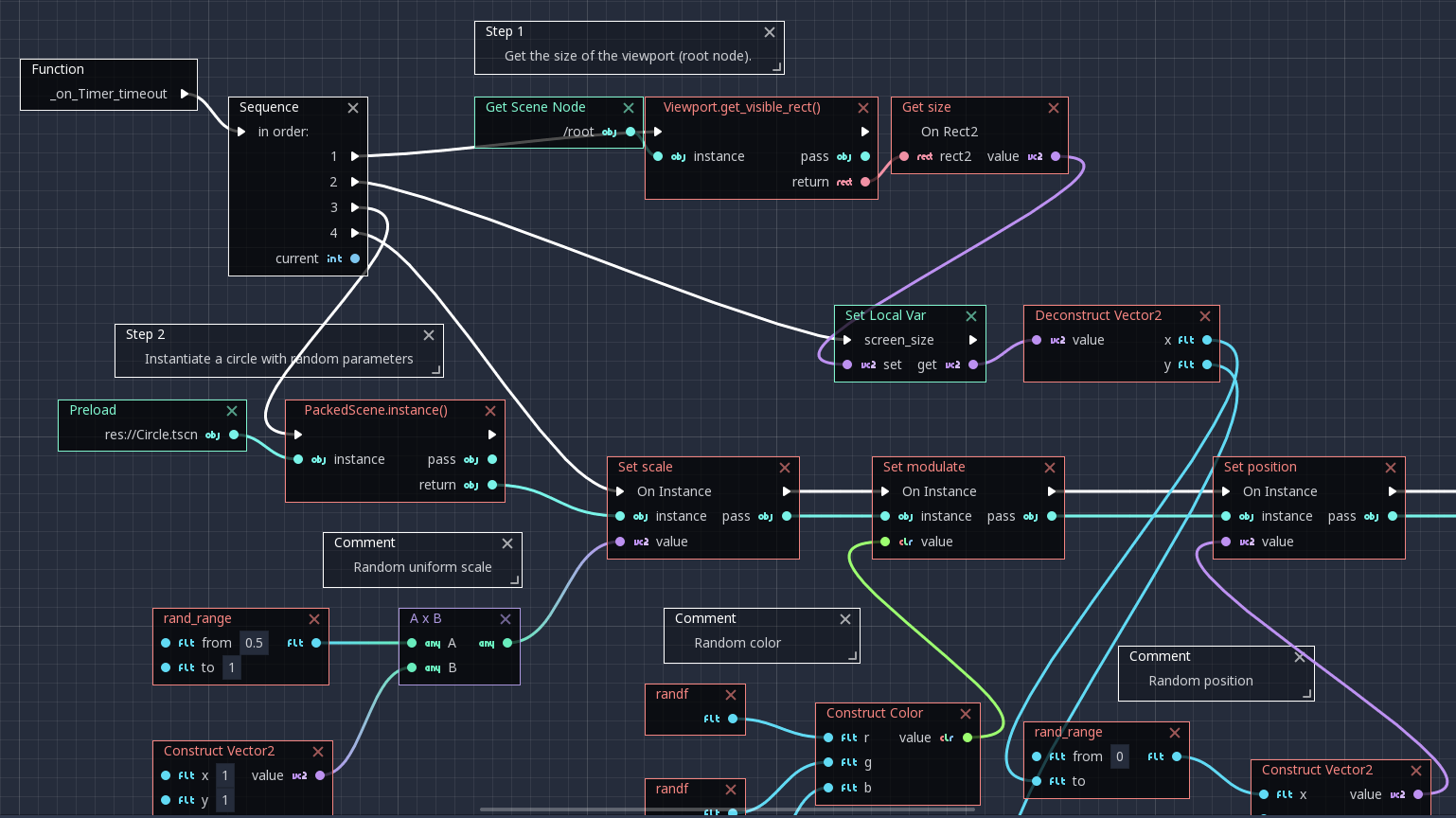
Godot 4 gives you two solid scripting options — GDScript and C# — and picking the wrong one for your project can slow you down more than any bug ever will. Whether you’re a solo developer jumping in for the first time or a Unity refugee carrying years of C# muscle memory, the decision matters early and is annoying to undo mid-project.
Table of Contents
This guide cuts through the noise. Using Godot 4.6 (the current stable release as of mid-2026), we break down where each language wins, where it costs you, and which one most indie developers should actually use.

Quick Answer
Pick GDScript if you’re new to Godot, working solo, targeting the web, or want to prototype fast. Pick C# if you’re migrating from Unity, your team already knows it, or you need access to the .NET/NuGet ecosystem. For most indie developers, GDScript is the right default — roughly 84% of surveyed Godot users in 2025 chose it, and for good reason.
How GDScript and C# Actually Differ in Godot 4
GDScript is Godot’s built-in language. Its Python-like syntax (indentation-based, no semicolons, no type declarations required) means you can read and write it quickly, and it runs inside the Godot editor without any external toolchain. It supports all platforms Godot supports, including web export to WebAssembly. Using typed GDScript — explicit type hints like `var speed: float = 5.0` — produces better-optimized bytecode; this typed-instruction optimization was introduced in Godot 4.0 and is not a Godot 4.6 addition. GDScript is not a JIT-compiled language, but for typical indie game logic it is fast enough that language choice is rarely your bottleneck.
C# in Godot runs on the .NET runtime and is the same language you’d write in Unity. It gives you interfaces, generics, access modifiers, namespaces, extension methods, and pattern matching — features GDScript simply lacks. You get Visual Studio or JetBrains Rider with full IntelliSense, refactoring, and debugging. You also get access to the entire NuGet package ecosystem: SQLite drivers, LiteDB, proper unit testing with NUnit or xUnit, and more. The tradeoff is real setup friction and one hard platform limitation: C# cannot export to web in official Godot builds as of Godot 4.6.3. Web export via .NET WASM is under active development (a prototype was demoed at GodotCon Boston in 2025), but it is not production-ready.
On performance: C# is meaningfully faster for compute-heavy work — tight loops, pathfinding, physics calculations at scale. For most indie game logic (state machines, UI, dialogue systems, input handling) the difference is irrelevant. The bottleneck in a typical indie game is draw calls and scene complexity, not script execution speed. There is also one notable C# gotcha: C# scripts cannot call GDExtension functions directly and require a GDScript wrapper as a go-between, which adds overhead.
When to Choose Each Language
Choose GDScript if any of these apply: it’s your first Godot project; you’re working solo or with a small team without a shared C# background; you plan to publish to itch.io or anywhere web playback matters; you’re making a game jam entry; or you want to prototype fast and iterate. GDScript’s tight editor integration means shorter loops between writing code and seeing results in-engine, and Godot’s official documentation, tutorials, and asset library are overwhelmingly GDScript-first.
Choose C# if: you’re porting a Unity project and have thousands of lines of existing C# code; your team of three or more already writes C# professionally; you need a specific NuGet library (a custom serializer, a networking stack, a database driver) that has no Godot addon equivalent; or you’re building a large-scale project where type safety and IDE tooling become serious productivity multipliers. Just go in knowing that web export is off the table for now, and that you’ll be in a smaller community — fewer tutorials, fewer addons, slower forum answers.
Common Mistakes to Avoid
Don’t pick C# because you think it will make your game faster. For indie-scale games, the performance difference between GDScript and C# is almost never the bottleneck. Optimize your scene structure and draw calls before worrying about scripting language throughput. If you genuinely need maximum performance in a hot code path, Godot supports GDExtensions written in C++ or Rust regardless of which scripting language you’re using everywhere else.
Don’t pick GDScript just because it looks easier and then write it without static types. Typed GDScript (using type hints like `var speed: float = 5.0` and function annotations) gets you better performance from the compiler and better autocomplete from the editor. Untyped GDScript in a large codebase becomes a maintenance problem fast. Whichever language you pick, lean into its type system from day one.
Don’t assume you can easily switch languages mid-project. Mixing GDScript and C# in one project is technically possible — Godot lets nodes use different script languages — but calling across the boundary has overhead and adds complexity. Make the call early and be consistent. If you’re genuinely unsure, build a small vertical slice in GDScript first; you can always migrate specific performance-critical systems to a GDExtension later without touching your script language at all.
Explore more: More Game Development Guides.
GDScript vs C# in Godot 4 FAQs
Can I use both GDScript and C# in the same Godot 4 project?
Yes, different nodes in the same project can use different scripting languages. However, calling between GDScript and C# scripts carries overhead because Godot has to marshal data across the language boundary. It works, but mixing languages adds complexity and is generally not recommended unless you have a specific reason — such as a performance-critical subsystem you want in C# while keeping the rest of the project in GDScript.
Does C# work for web export in Godot 4?
Not in official Godot releases as of Godot 4.6.3. C# web export requires running .NET as a WASM module, which conflicts with how Godot’s web build is structured. The Godot team has been working on a solution — a prototype was shown at GodotCon Boston in 2025 — but there is no official release date. If web distribution is important to your project, use GDScript.
Is GDScript fast enough for a commercial indie game?
Yes. GDScript is fast enough for the vast majority of commercial indie games. Using typed GDScript — with explicit type hints — produces better-optimized bytecode through the typed-instruction system introduced in Godot 4.0. For the rare cases where you need maximum throughput — a custom physics solver, procedural generation at scale — you can write that specific piece as a GDExtension in C++ or Rust while keeping the rest of your game in GDScript.
Build It With GTStudios
Need help shipping your app, game, or small-business tech? GTStudios builds web, apps, and games. See how GTStudios can help.
Photo: Tkarcher / CC BY-SA 4.0, via Wikimedia Commons.