
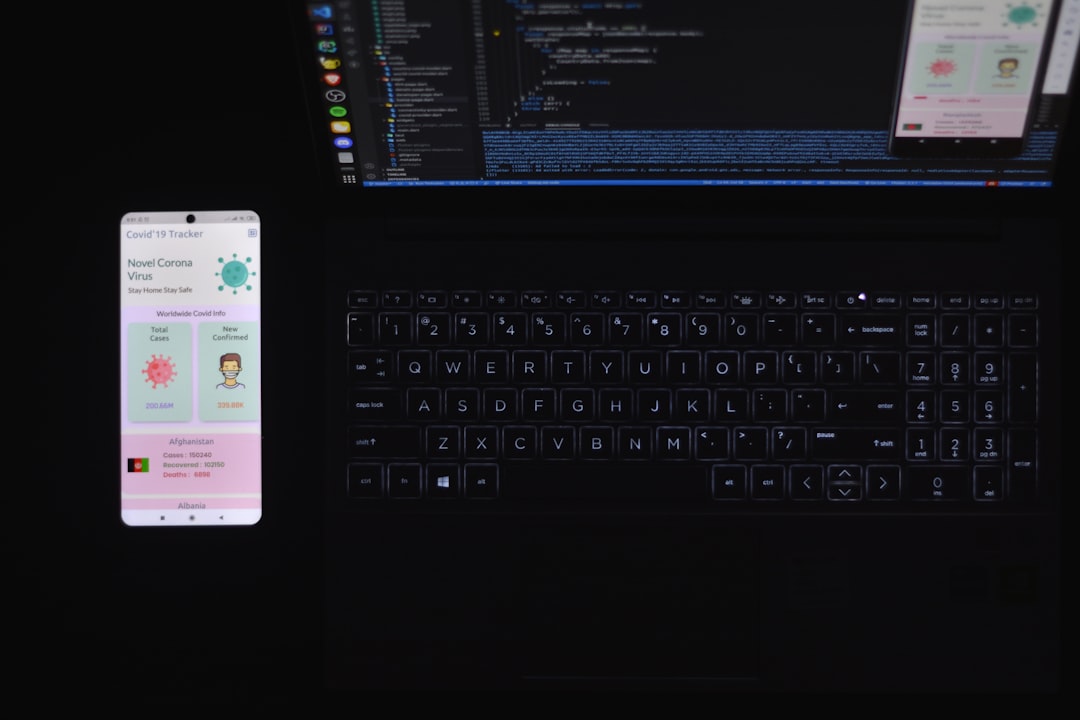
Users expect apps to work in tunnels, on planes, and anywhere signal drops. Building offline-first means making local storage the source of truth — the network is just the mechanism that keeps that truth in sync across devices. Get this right and users never see a blank screen or an error banner just because they stepped into a basement.
Table of Contents
This guide covers every practical layer of a production-ready offline-first Flutter app: picking the right local database, designing a sync-ready schema (including the primary-key decision most tutorials skip), safe CRUD patterns, a pending-ops sync queue, background sync when the app is closed, conflict resolution, and schema migrations — with package versions and platform behavior verified against current documentation, not guesswork.
Quick Answer
Use sqflite (v2.4.3, a Flutter Favorite from Tekartik) or Drift (v2.34.x) with connectivity_plus to build an offline-first Flutter app. Write every change to SQLite first with a synced = 0 flag and a UUID primary key, queue the change in a pending_ops table, then flush that queue to your API whenever connectivity_plus reports an active interface — always confirming real internet access with a lightweight HEAD request first, since a Wi-Fi connection with no upstream route (a hotel captive portal, for example) still reports ‘connected.’
Why Offline-First Changes Your Architecture
In an online-first app the network comes first: the UI blocks on a fetch, caches the result, and shows a cached fallback on failure. In an offline-first app the local database comes first — every read and write hits SQLite immediately, and the network becomes a background concern. Users get instant responses regardless of signal strength.
The practical implication is that every table needing remote persistence must carry sync metadata: a synced flag, an updated_at timestamp stored in UTC milliseconds, and ideally a version counter. Deletes should be soft (is_deleted = 1) rather than hard, so the sync engine can propagate the removal to the server before the row disappears locally. These design decisions — sync flags, soft deletes, and sync-safe primary keys — are what separate a real offline-first app from one that just caches API responses.
Choosing Your Local Database: sqflite vs. Drift vs. Hive/Isar
Flutter does not use expo-sqlite — that package belongs to the React Native/Expo ecosystem and doesn’t exist on pub.dev. For raw SQL control, sqflite (Tekartik, v2.4.3) is the standard choice: it runs natively on Android, iOS, and macOS and moves database I/O to a background thread automatically. For Linux or Windows, add sqflite_common_ffi and call sqfliteFfiInit() before opening any database; experimental web support comes via sqflite_common_ffi_web, which stores data in browser IndexedDB.
Drift (v2.34.x) sits on top of sqlite3 and is now the more common default for new projects: it generates type-safe Dart from your schema, exposes reactive Streams so your UI updates automatically when rows change, handles isolate threading for you, and runs on every platform Flutter targets, web included. If you want compile-time-checked queries and reactive rebuilds without hand-rolling them, start with Drift; if you want direct SQL and the smallest possible dependency footprint, sqflite is still solid.
Avoid Hive and Isar for new offline-first projects in 2026. Hive’s development has stalled, and Isar’s original repository is unmaintained by its author — a community fork (isar_community on pub.dev) keeps it alive, but adopting it means taking on a smaller, less certain maintenance guarantee than SQL-backed options. sqflite and Drift are both actively maintained and are the safer long-term bet.
Design a Sync-Ready Data Model
Bake sync metadata into every table from the start: CREATE TABLE tasks(id TEXT PRIMARY KEY, title TEXT NOT NULL, updated_at INTEGER NOT NULL, synced INTEGER NOT NULL DEFAULT 0, is_deleted INTEGER NOT NULL DEFAULT 0). Store updated_at in UTC milliseconds — never local device time — so timestamps from devices in different time zones compare correctly.
Mirror the schema in a Dart model with toMap() and fromMap() helpers that feed directly into db.insert(), db.update(), and query results. Keep the model thin — field mapping only, no business logic. Add an index on synced so your sync query (WHERE synced = 0) scans only unsynced rows: CREATE INDEX idx_tasks_synced ON tasks(synced). On tables with thousands of rows this index is the difference between a sub-millisecond lookup and a full-table scan on every sync cycle.
UUID or Auto-Increment: Choosing a Primary Key for Sync
This is the decision most offline-first tutorials skip, and it causes real bugs later. INTEGER PRIMARY KEY AUTOINCREMENT is fine for a single-device, single-source app, but it breaks the moment two offline devices each create a row — both assign id = 1, and your server has no way to tell them apart when both sync up.
Generate a UUID on the client at creation time and use it as the primary key, both locally and on the server. The current uuid package on pub.dev supports v4 (fully random) and v7 (time-ordered) generation. Use v4 for a simple random identifier; use v7 when you also want IDs that sort roughly by creation time, which helps with pagination and index locality on the server. Either variant makes every insert globally unique with zero coordination, so sync becomes a pure upsert — the server never needs to remap a client-generated ID to a server-generated one. The tradeoff is a slightly larger primary key (16 bytes vs. 4-8) and non-sequential storage, which is a fair price for eliminating an entire class of sync bugs.
Build the Database Helper and CRUD Layer
Open the database once and reuse that single instance across the app — never open a fresh connection per operation, since sqflite serializes writes and repeated open/close calls add latency for no benefit. A typical helper wraps openDatabase() in a singleton, defines onCreate for the initial schema, and defines onUpgrade for migrations (covered below).
Every CRUD call should touch two things at once: the actual row, and its sync metadata. On insert, set synced = 0 and updated_at = DateTime.now().toUtc().millisecondsSinceEpoch. On update, bump updated_at again and reset synced to 0 so the row is picked up on the next sync pass. On delete, don’t call db.delete() directly — set is_deleted = 1 and synced = 0 instead, so the row’s removal can still be pushed to the server before it’s purged locally. Wrap multi-row writes in db.transaction() so a partial failure can’t leave the local database in a half-synced state.
Syncing to Your Backend With a Pending-Ops Queue
A synced column alone only tells you a row is dirty — it doesn’t tell you what happened to it. A dedicated pending_ops table (id, entity_table, entity_id, op_type, payload, created_at) records every insert, update, and delete as a discrete, ordered operation. That matters because a row can be created and then deleted while still offline; a single synced flag can’t represent that sequence, but two rows in pending_ops can.
Flush the queue in created_at order: send each operation, mark it complete (or delete it) only after the server confirms, and leave it in place on failure so the next sync attempt retries it. This also gives you a natural place to add exponential backoff and per-operation retry counts without touching your core tables.
Detect Real Connectivity, Not Just a Wi-Fi Icon
connectivity_plus reports which network interface is active — Wi-Fi, mobile, ethernet, or none — but it does not confirm that interface can actually reach the internet. A device on hotel or airport Wi-Fi behind a captive portal, or on a Wi-Fi network with a dead upstream link, will still report a connected interface with zero real connectivity.
Treat connectivity_plus as a trigger to attempt sync, not proof that sync will succeed. Before flushing the pending_ops queue, send a lightweight HEAD request to your own API’s health endpoint (or use a package like internet_connection_checker_plus, which layers real reachability checks on top of connectivity_plus). If that check fails, hold the queue and retry on the next connectivity change event instead of burning a failed sync attempt.
Running Sync in the Background When the App Is Closed
For sync to run when the app isn’t in the foreground, use the workmanager package, which wraps Android’s WorkManager and iOS’s BGTaskScheduler behind one Dart API. The two platforms behave very differently, and treating them the same is a common source of ‘background sync doesn’t work’ bugs.
On Android, WorkManager enforces a 15-minute minimum interval for periodic work, and the system generally honors it closely on stock Android. On iOS, BGTaskScheduler is best-effort only: you register a preferred interval, but iOS decides the actual run time based on battery level, network conditions, and the user’s usage patterns, and it can delay or skip a run entirely. iOS also distinguishes BGAppRefreshTask (short work, roughly 30 seconds) from BGProcessingTask (longer jobs the OS runs when the device is idle and charging). Design your sync logic to be idempotent and safe to run late — never assume a background sync fires on a predictable schedule on iOS, and always let a foreground app-resume trigger an immediate sync as a fallback.
Conflict Resolution: Choosing a Strategy
The simplest strategy is last-write-wins: compare the updated_at timestamp on the client’s pending change against the server’s stored value, and keep whichever is newer. This works well for single-owner data like personal notes or settings, where the odds of a true concurrent edit are low and the stakes of losing a stale write are minor.
For records that multiple users or devices genuinely edit concurrently, last-write-wins can silently discard real work. A version counter (bump it on every write, reject a push whose base version doesn’t match the server’s current version) turns a silent overwrite into a detectable conflict you can surface to the user or merge field-by-field. For structured records, field-level merging — comparing each column’s updated_at independently rather than the whole row — preserves more of both edits and is worth the extra complexity for high-collaboration entities like shared task lists or shared documents.
Schema Migrations Without Losing Local Data
openDatabase() takes a version number and an onUpgrade(db, oldVersion, newVersion) callback that sqflite calls automatically when it detects the on-disk schema version is behind the version your code declares. Inside onUpgrade, run the specific ALTER TABLE statements needed to move from each old version to the next — modern SQLite supports ALTER TABLE … ADD COLUMN directly, plus RENAME COLUMN (added in SQLite 3.25.0) and DROP COLUMN (added in SQLite 3.35.0), which are both well within the SQLite versions bundled with current sqflite and Drift releases. DROP COLUMN has limits, though: it only works on a column that isn’t part of a primary key, a UNIQUE constraint, an index, or referenced by a trigger, view, CHECK constraint, or foreign key. For those cases, or for anything ALTER TABLE can’t express (like changing a column’s type), you still need to create a new table, copy the data across, and drop the old one.
Write migrations as a sequence of if (oldVersion < N) blocks rather than one big conditional, so a device that's several versions behind runs every intermediate migration in order. Always test the upgrade path from your oldest still-supported schema version, not just from the previous release — a user who hasn't opened the app in eight months will jump several versions at once.
Tips and Common Mistakes
Don’t call setState or rebuild the whole list on every sync tick — query only the rows that changed, or use Drift’s reactive Streams so the UI updates itself. Don’t skip the synced index; on a table with more than a few hundred rows, an unindexed WHERE synced = 0 scan on every sync cycle is a measurable performance hit. Don’t trust connectivity_plus alone to gate a sync attempt — pair it with a real reachability check. And don’t hard-delete rows the moment a user deletes them locally; a soft delete that’s purged only after server confirmation is what makes deletes actually sync instead of silently disappearing from one device and reappearing after the next pull.
offline-first flutter app with sqlite FAQs
Is expo_sqlite available for Flutter?
No. expo-sqlite is a React Native/Expo-only package and isn’t published for Flutter. The Flutter equivalent is sqflite (or Drift if you want a type-safe query layer on top of SQLite).
Which platforms does sqflite support?
sqflite supports Android, iOS, and macOS natively. Linux, Windows, and the Dart VM are supported via the companion sqflite_common_ffi package, and web support is available experimentally through sqflite_common_ffi_web, which persists data to browser IndexedDB.
How do I handle conflicts when two devices edit the same record offline?
For low-collision data, compare updated_at timestamps and keep the newer write (last-write-wins). For records multiple users actively co-edit, use a version counter to detect conflicting writes, or merge field-by-field using each column’s own updated_at rather than resolving at the whole-row level.
How do I migrate a sqflite database schema when I add a new column?
Bump the version number passed to openDatabase() and add a check inside onUpgrade — if (oldVersion < newVersion) db.execute('ALTER TABLE tasks ADD COLUMN priority INTEGER DEFAULT 0'). Modern SQLite also supports ALTER TABLE ... RENAME COLUMN (since 3.25.0) and DROP COLUMN (since 3.35.0) directly. DROP COLUMN can't be used on a column that's part of a primary key, a UNIQUE constraint, an index, or referenced by a trigger, view, or CHECK/foreign-key constraint — those cases still require creating a new table and copying the data over.
Does connectivity_plus guarantee that the internet is reachable?
No. It only reports which network interface is active (Wi-Fi, mobile data, none), not whether that interface has real upstream internet access — a captive portal or dead Wi-Fi link still reads as ‘connected.’ Confirm reachability separately with a lightweight HEAD request or a package like internet_connection_checker_plus before syncing.
Should I use sqflite or Drift for a new Flutter project?
Drift (currently v2.34.x) is the more common default in 2026 because it adds type-safe generated queries, reactive Streams, automatic isolate threading, and full web support on top of SQLite. Choose sqflite instead if you want to write raw SQL directly with the smallest possible dependency surface.
How do I safely delete records in an offline-first app?
Use a soft delete: set is_deleted = 1 and synced = 0 instead of calling db.delete(). Your sync engine pushes the deletion to the server, and only after that push is confirmed should the row be purged from the local database and, if applicable, from the server.
Why should I use a pending_ops table instead of just a synced column?
A synced flag tells you a row is dirty, but not what happened to it. A pending_ops table records each insert, update, and delete as its own ordered operation, which correctly captures sequences like ‘created then deleted while offline’ that a single synced flag on the row can’t represent.
Should I use UUIDs or auto-increment IDs for offline-first primary keys?
Use UUIDs. Auto-increment IDs collide the moment two offline devices each create a row starting from id = 1. A client-generated UUID (v4 for random, v7 if you also want rough time-ordering) makes every row globally unique with no server coordination, turning sync into a simple upsert.
How do I sync data in the background when the app is closed?
Use the workmanager package, which wraps Android’s WorkManager (minimum 15-minute interval, generally honored) and iOS’s BGTaskScheduler (best-effort only, with no guaranteed run time). Write sync logic that’s idempotent and safe to run late, and also trigger a sync on app resume as a fallback, since iOS background runs can be delayed or skipped entirely.
Build It With GTStudios
Need help with your website, app, or small-business tech? GTStudios builds web, apps, and software for small businesses. See how GTStudios can help.