
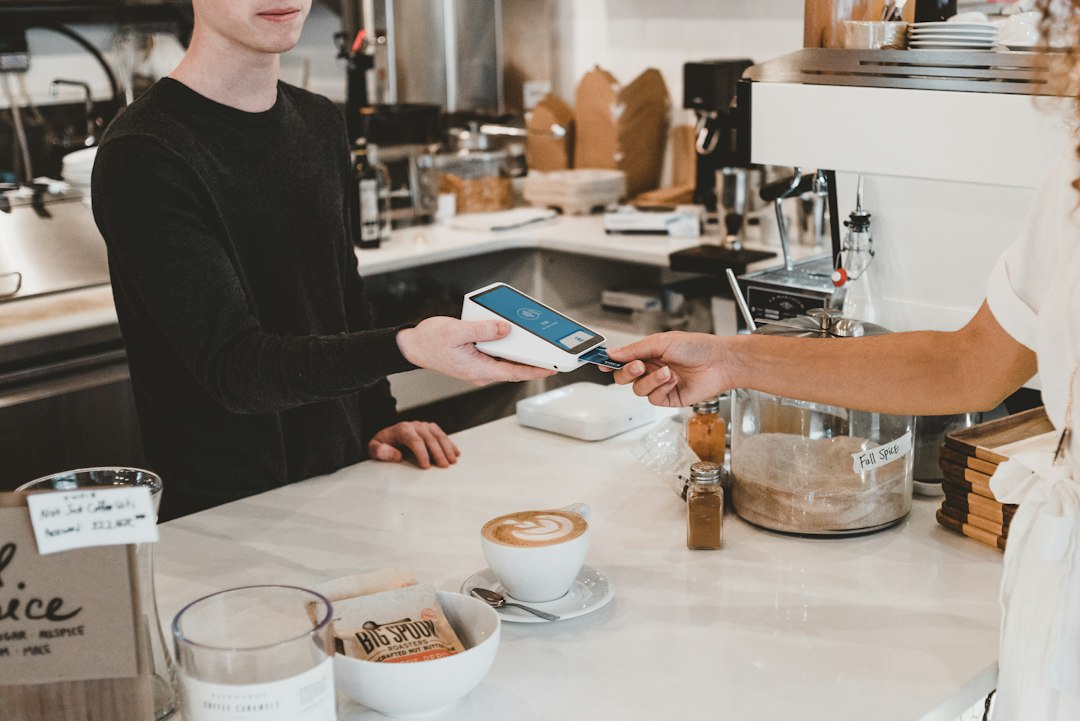
Paper punch cards get lost, left at home, or tossed in the wash. A digital punch card fixes that by living on a customer’s phone, either as a pass in their Apple or Google Wallet or inside a small loyalty app, so it’s there every time they show up.
Table of Contents
This guide walks through choosing a platform, setting up your first reward, and getting customers to actually enroll, plus the mistakes that quietly kill most punch card programs before they build any repeat business.
Quick Answer
Pick a digital loyalty platform that either plugs into your existing point-of-sale (like Square Loyalty if you already run Square) or works independently as a wallet-based stamp card (like Loopy Loyalty or FaveCard). Set a simple reward rule (e.g., “buy 9, get the 10th free”), generate a QR code or enrollment link, and have staff ask every customer to join at checkout. Most setups take under an hour.
Choosing the Right Platform
There are two main categories. POS-integrated loyalty is built into the payment system you already use — Square Loyalty is the common example, bundled into Square’s paid Plus and Premium plans and tied to purchases rung up through Square’s POS, invoices, or online store. It’s the easiest option if you’re already on that POS, since punches track automatically with no extra scanning step for staff.
Standalone wallet-based platforms work independently of your POS and put the card directly into the customer’s Apple Wallet or Google Wallet — no app download required. Loopy Loyalty is a well-known example built specifically for this (plans start around $25/month for a single location), and other small-business-focused tools like FiveStars by SumUp add a companion app and cross-business rewards network on top of the loyalty tracking. If you use a POS other than Square, or want the loyalty card to work across multiple locations or even multiple businesses, a standalone tool is usually the better fit.
Before committing, check three things on the vendor’s own pricing page: whether it supports Apple Wallet and Google Wallet (avoids forcing an app download), whether it charges per location, and whether customer data export is included or locked behind a higher tier.
Setting It Up Step by Step
1. Sign up and design the card. Most tools give you a simple editor for your logo, brand colors, and the number of punches needed. Keep the design close to your real-world branding so customers recognize it instantly.
2. Set the reward rule. Decide how many punches earn the reward and what the reward is — a free item, a discount, or bonus points. Rewards that take 8-10 visits tend to perform better than ones that take 20+, since customers lose momentum on cards that feel too far from completion.
3. Generate your enrollment method. This is usually a QR code you print at the register or a short link you can text or add to your Instagram bio. Some platforms also support NFC taps.
4. Add it to checkout. Print the QR code on receipts, tape it near the register, and — most importantly — have staff verbally invite every customer to join. Signage alone rarely gets meaningful signup rates; a 5-second ask at checkout does far more.
5. Test the full loop yourself. Enroll a test card, add a punch, and redeem the reward before you launch, so you catch any scanning or POS-sync issues with real customers, not on day one.

Tips and Common Mistakes
Don’t make the reward threshold so high that customers give up before reaching it — start generous and tighten later if needed. Don’t rely only on a poster; staff mentioning the program at checkout drives most enrollments. Don’t ignore the data — most platforms show you who’s close to a reward or has gone quiet, which is useful for a quick “come back in” text or email. And don’t switch platforms casually once customers have active cards; migrating punch history between systems is rarely smooth, so pick a platform you’re comfortable sticking with for at least a year.
Explore more: more small business tech guides.
Digital punch card loyalty system FAQs
Do customers need to download an app for a digital punch card?
Not necessarily. Wallet-based platforms like Loopy Loyalty deliver the card as an Apple Wallet or Google Wallet pass, so there’s nothing to install. Some platforms, like FiveStars, do use a companion app instead.
How much does a digital punch card system cost?
Standalone wallet-based tools commonly start in the $25-$50/month range for a single location. POS-integrated options like Square Loyalty are typically bundled into a paid POS plan rather than billed separately. Multi-location or higher-tier plans cost more.
Can I build a digital punch card without a paid tool?
You can approximate one with a simple spreadsheet or a free-tier loyalty tool, but you’ll lose automatic wallet updates, push notifications, and reporting that dedicated platforms provide.
Is a digital punch card worth it for a very small or new business?
It’s worth it if you have repeat foot traffic — coffee shops, salons, food trucks — since the main cost is time spent asking customers to join, not the software fee. If most of your customers are one-time visitors, the payoff is smaller.
Build It With GTStudios
Need help with your website, app, or small-business tech? GTStudios builds web, apps, and software for small businesses. See how GTStudios can help.
Want dev news in your inbox? Subscribe to the free newsletter.
Photo by Clay Banks on Unsplash.