
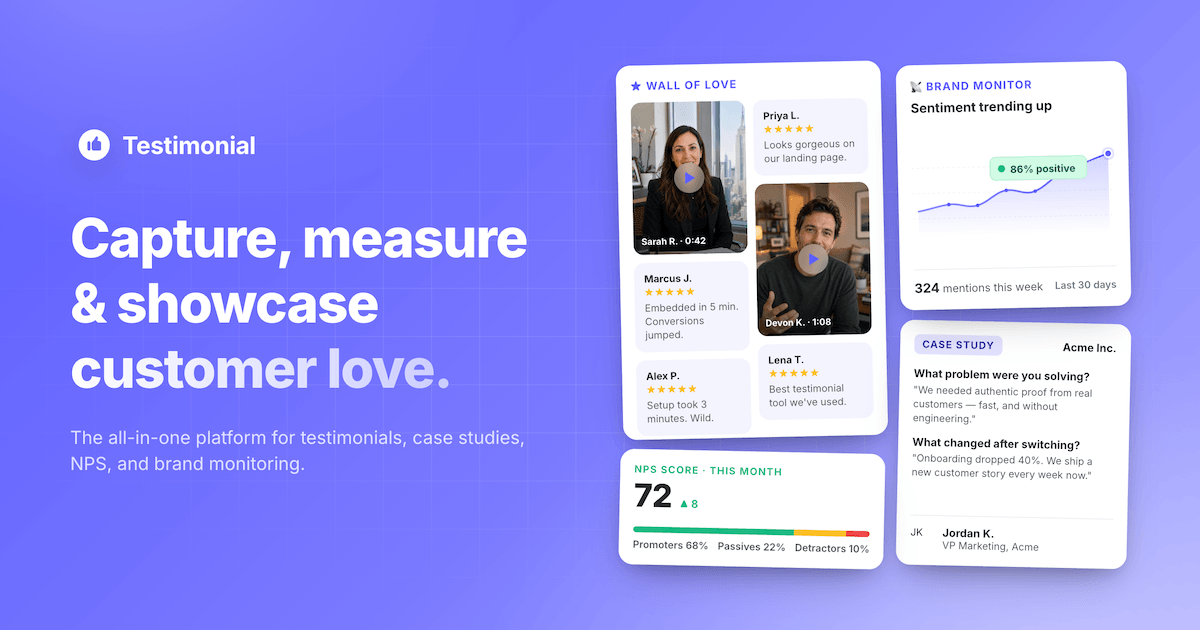
Text reviews are easy to skim past, but a customer talking on camera about how your product solved a real problem is hard to fake and even harder to ignore. That’s why more small businesses are adding video testimonials to their websites, pricing pages, and social ads — they build trust faster than almost any other type of content.
Table of Contents
The catch is that asking customers to “send a video” rarely works on its own. You need a tool that makes recording effortless, handles the editing, and gives you a way to display the results. This guide compares the top options so you can pick the one that fits your budget and workflow.

Quick Answer
For most small businesses, Testimonial.to or Senja are the best starting points — both are affordable, let customers record from a simple link with no app download, and include a “wall of love” page to display results. If you want polished, auto-edited videos with branded intros and captions, Vocal Video is the stronger (pricier) choice. Boast.io suits teams running structured video request campaigns, and VideoAsk works well if you want an interactive, conversational feel.
What to Look for in a Video Testimonial Tool
The most important feature is friction-free recording. Customers should be able to click a link, record from their phone or laptop browser, and submit — no account creation or software install. Tools that support async recording (customer records on their own time, answering prompts one at a time) tend to get far more completed submissions than ones that require a live call.
Beyond that, compare a few things: whether the tool auto-edits raw footage into a clean clip (trimming silence, adding captions, branding), whether you can approve or reject submissions before they go public, how easy it is to embed testimonials as a widget or wall on your website, and whether it integrates with the email or CRM tool you already use to send requests. Also check video length limits and processing caps on the plan you’d actually pay for — several tools throttle these hard on entry-level tiers.
Finally, think about consent. Any tool worth using should let you attach a release or usage agreement to the recording flow, since you’re asking someone to let you use their name, face, and voice in marketing.
Top Video Testimonial Tools Compared
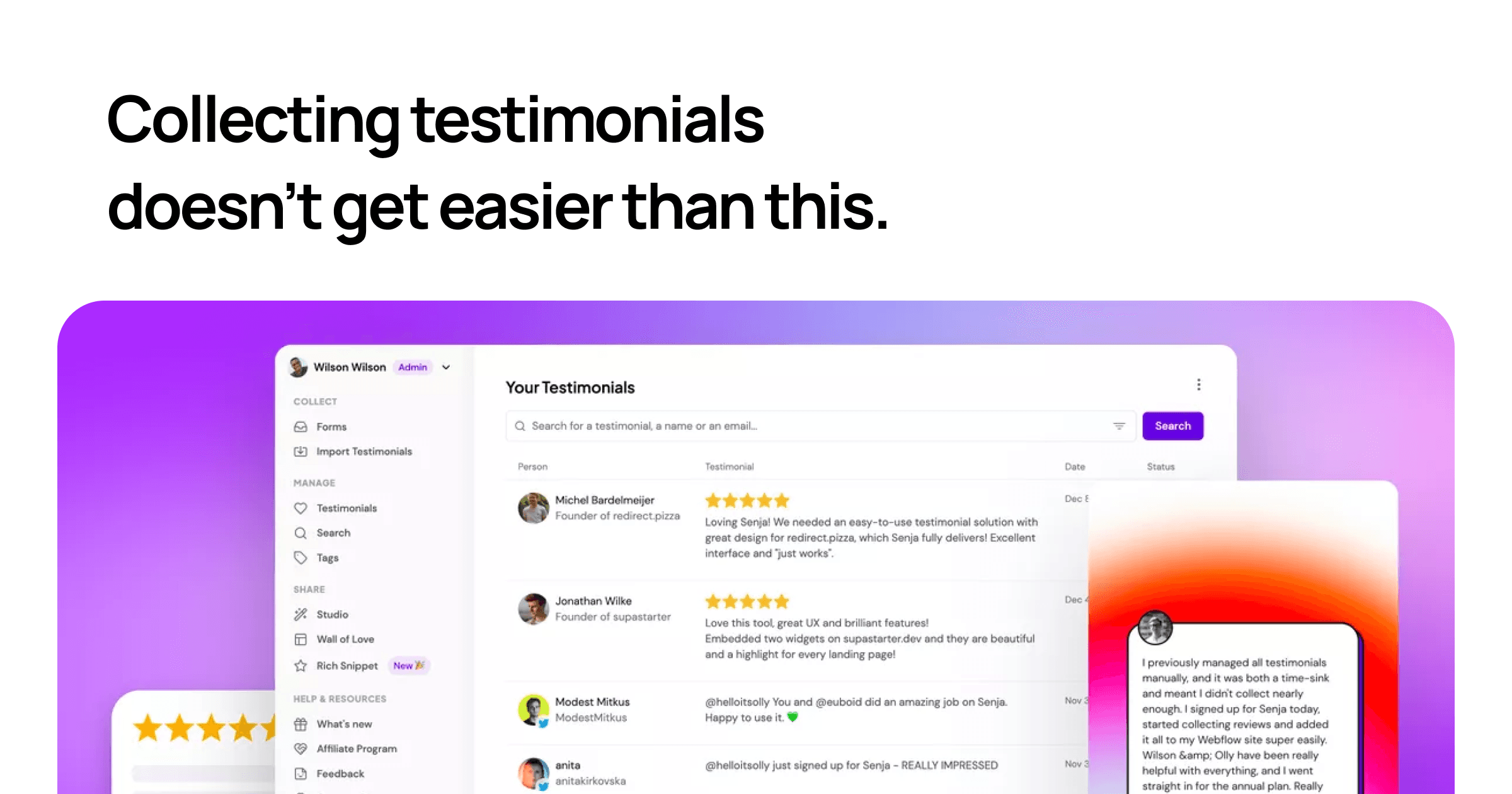
Testimonial.to is one of the most popular entry points because it’s simple and cheap: customers record via a shareable link, and you get a free “Wall of Love” embed. The free plan allows a small number of text and video testimonials; the Starter plan is $25/month but still caps video at 2 clips, and unlimited video only opens up on the Ultimate plan at $50/month per space (video length caps at 5 minutes on that tier).
Senja is a strong alternative with a genuinely usable free plan (15 combined text and video testimonials, unlimited widgets and walls). Paid plans start at $29/month for unlimited testimonials, custom branding, and HD video exports, with a $59/month Pro tier adding team seats and auto-translation into other languages.
Vocal Video focuses on producing polished, agency-quality clips — it guides customers through recording prompts, then automatically edits the footage into a branded video with captions. It’s priced higher, starting at $99/month for unlimited published videos in 1080p without watermarks, scaling up to $149–$249/month for more campaigns and processing time.
Boast.io is built for teams running ongoing testimonial request campaigns, with approval workflows, multiple forms, and video-field limits per form. Its Basic plan runs $50/month (annual billing) for 720p video and 600 responses a year, moving up to $100/month for 1080p and $208/month for 4K with higher response caps.
VideoAsk (by Typeform) takes a different approach: instead of a static request form, it builds interactive, conversational video funnels where a customer can respond to a series of on-screen questions. It has a limited free tier and paid plans that meter usage by video processing minutes rather than a flat response count, so it’s worth checking your expected volume against the plan before committing.
Tips and Common Mistakes
Ask for testimonials at the right moment — right after a customer hits a win (a renewal, a milestone, a compliment in support chat) gets far better results than a generic quarterly email blast. Keep your recording prompts specific (“What problem were you trying to solve before you found us?”) rather than open-ended (“Tell us what you think”), since specific prompts produce usable, quotable answers instead of rambling ones.
A common mistake is asking for a testimonial with no incentive or context — a short discount, gift card, or simple thank-you gesture noticeably increases response rates. Also don’t skip the consent step; get explicit permission to use the customer’s name, face, and words in your marketing before you publish anything. Finally, test the recording link on a phone before sending it out — most customers will record on mobile, and a clunky mobile experience is the single biggest reason people abandon the request.
Explore more: More small business tech guides.
video testimonial tools FAQs
What’s the cheapest way to collect video testimonials?
Senja’s free plan (15 combined text/video testimonials) or Testimonial.to’s free plan (2 video testimonials) both let you start collecting without paying anything. Once you outgrow those limits, Senja’s $29/month Starter plan is generally the most affordable paid option with unlimited video.
Do customers need to download an app to record a video testimonial?
No, with all the tools covered here customers record directly from a web browser link on their phone or computer — no app or account is required on their end.
Can I edit or improve raw video testimonials automatically?
Yes, tools like Vocal Video and Testimonial.to’s higher tiers offer automated editing that trims silence, adds captions and branding, and stitches multiple answers into one polished clip, so you don’t need separate video editing software.
Build It With GTStudios
Need help with your website, app, or small-business tech? GTStudios builds web, apps, and software for small businesses. See how GTStudios can help.
Want dev news in your inbox? Subscribe to the free newsletter.
Images: Testimonial.
1 thought on “Best Tools to Collect Video Testimonials From Customers”
Comments are closed.