
Tracking vacation days in a shared spreadsheet works fine until two people book the same week off, someone forgets to update their balance, or a manager has to dig through email threads to approve a sick day. For a team of 5 to 50 people, that friction adds up fast — and it’s usually the sign you’ve outgrown manual tracking.
Table of Contents
This guide breaks down what actually matters when choosing a time-off request tool, walks through five solid options at different price points (including a couple of genuinely free ones), and flags the mistakes small teams tend to make when they switch.
Quick Answer
For teams of 10 or fewer, Day Off and Connecteam both offer free-forever plans that cover PTO requests, approvals, and a shared calendar. For growing teams that need multi-approver workflows or accrual rules, Timetastic and Calamari charge a few dollars per employee per month and scale cleanly. If you need time off bundled with broader HR features like onboarding and performance reviews, BambooHR is the better fit, though it costs more per employee.
What to Look For Before You Buy
Start with the basics: can employees request time off from their phone, does a manager get notified immediately, and does the tool show a shared team calendar so people can see who’s out before they plan around them? Almost every tool on the market handles this — the differences show up in the details.
Check how accruals work if your policy earns PTO over time rather than granting it all upfront. Look at approval routing — do you need one approver or a chain (manager, then HR)? And confirm calendar sync: most small teams want time-off events to show up automatically in Google Calendar or Outlook rather than living in a separate app nobody checks.
Finally, price it honestly. Per-employee pricing that looks cheap at 5 people can get expensive at 25, so check whether a tool has a flat small-team rate or a minimum monthly charge before you commit.
5 Time-Off Tools Worth Considering
Day Off is a dedicated PTO tracker with a genuinely free plan for up to 10 employees (one approver, one policy, one team). Its paid Pro tier runs about $2 per employee per month with a roughly $20/month minimum, and adds multiple approvers, multiple locations, accrual rules, and sync with Google Calendar, Outlook, Slack, and Microsoft Teams. It’s a good pick if you want something built specifically for leave tracking and nothing else.
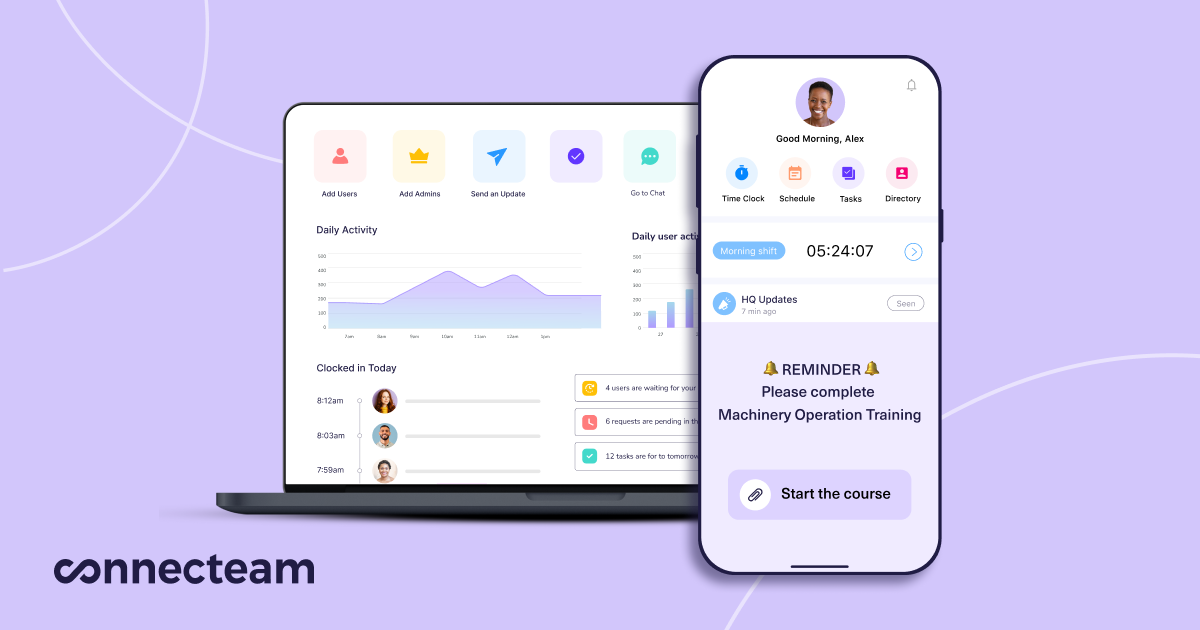
Connecteam bundles time-off management into a broader small-business operations app that also covers scheduling, task management, and team communication. Its Small Business plan is free for life for up to 10 users; paid plans start around $29/month for the first 30 users plus a small per-user fee above that. Worth it if you also want scheduling and messaging in one place, not just PTO.
Timetastic is a leave-management specialist with per-user pricing starting around $1.50/user/month on its base Business tier, with a Pro tier near $2.50/user/month adding leave accruals, burnout/absence risk alerts, and SSO. It offers a 30-day free trial with no contract, and integrates with Google Workspace and Google Calendar, Outlook, Apple Calendar, Slack, and Microsoft Teams.
Calamari focuses on leave and attendance with modular, per-employee pricing (roughly $2–$2.50/employee/month for the time-off module, billed yearly, with a 10-seat minimum). It supports unlimited absence types, multi-step approval workflows with backup approvers, and country-specific holiday calendars — useful if your team spans multiple locations or countries.
BambooHR is a full HR platform rather than a single-purpose PTO app. Time-off tracking, accruals, and approvals are included on every tier, starting at $10/employee/month (with a flat rate around $250/month for companies of 25 or fewer employees). It costs more than the dedicated trackers above, but makes sense if you’re also looking for onboarding, e-signatures, and basic HR record-keeping in the same tool.
Tips and Common Mistakes
Don’t pick a tool before checking your actual headcount against its free-tier limit — Day Off and Connecteam’s free plans both cap out at 10 users, so a team of 12 will need to budget for a paid plan from day one.
Set up your leave policies (accrual rules, carryover limits, blackout dates) before inviting the whole team, not after. Retrofitting policies once employees have already logged requests tends to create balance disputes.
If your team already lives in Slack or Microsoft Teams, prioritize a tool with a native integration there — approvals get answered faster when they show up where people already work, rather than in a separate app or inbox.
Avoid over-buying. If all you need is request-and-approve plus a shared calendar, a full HR suite like BambooHR is more tool (and more cost) than a 6-person team typically needs.
Explore more: more small business tech guides.
Time-off request tools for small teams FAQs
What’s the best free time-off tracking tool for a small team?
For teams of 10 or fewer, Day Off and Connecteam both offer free-forever plans that include time-off requests, approvals, and a shared team calendar.
Do time-off request tools integrate with Google Calendar?
Most dedicated leave-tracking tools, including Day Off, Timetastic, and Calamari, sync approved time off directly to Google Calendar and Outlook so it shows up on personal and shared calendars automatically.
When should a small business upgrade from a spreadsheet to dedicated software?
Once you have more than a handful of employees, or you’re spending time each week chasing approvals, resolving double-booked leave, or manually recalculating balances, a dedicated tool usually pays for itself in saved admin time.
Build It With GTStudios
Need help with your website, app, or small-business tech? GTStudios builds web, apps, and software for small businesses. See how GTStudios can help.
Want dev news in your inbox? Subscribe to the free newsletter.
Images: Connecteam.