
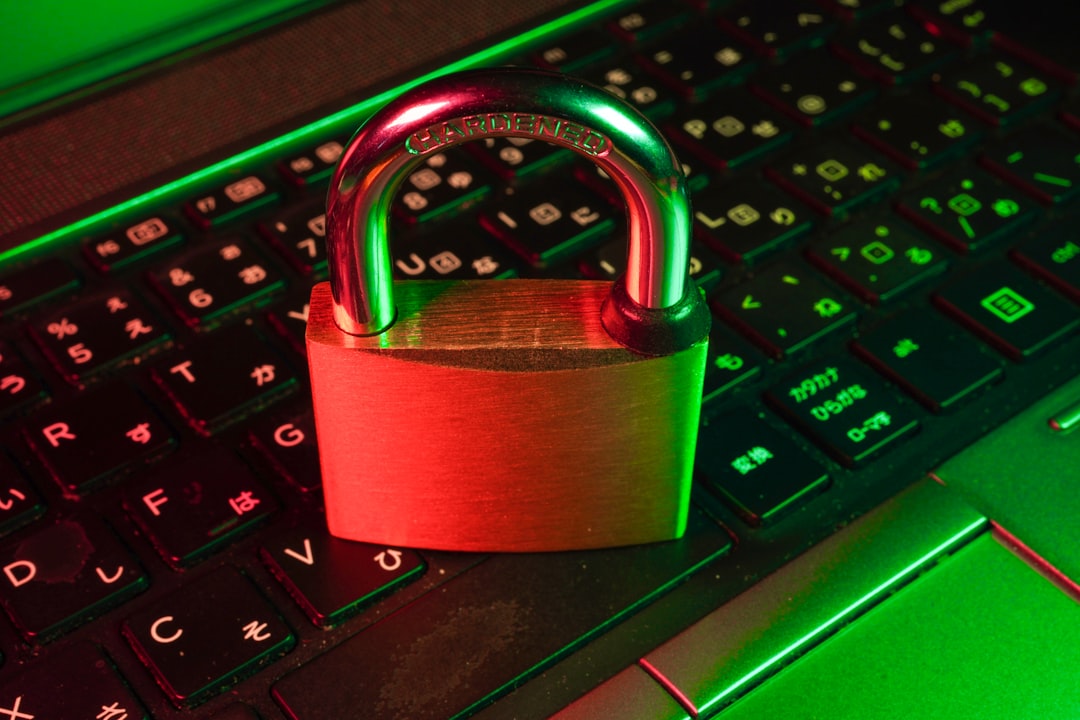
If you’ve ever clicked a link and seen “Not Secure” next to the address bar, you already know how an SSL certificate (or the lack of one) shapes a visitor’s first impression. For small business owners weighing where to spend limited time and budget, it’s a fair question: is this actually necessary, or just another upsell from your hosting provider?
Table of Contents
Short answer: yes, essentially every business website needs one today, and in most cases it costs nothing extra. This guide explains what SSL actually does, why it matters beyond the padlock icon, and how to get it set up without a lot of technical hassle.
Quick Answer
Yes. An SSL certificate (which enables HTTPS) is considered a baseline requirement for any website today, not an optional upgrade. Without one, browsers like Chrome flag your site as “Not Secure,” which erodes visitor trust, and Google treats HTTPS as a ranking signal. The good news is that most hosting providers now include some form of free SSL certificate as part of standard hosting, though how it’s issued and whether it renews automatically varies by host — so it’s worth a quick check rather than an assumption.
What an SSL Certificate Actually Does
SSL (technically its successor, TLS) encrypts the connection between a visitor’s browser and your web server. Without it, data such as login details, contact form submissions, or payment information travels in plain text and could theoretically be intercepted on an unsecured network. With it, that traffic is encrypted, and your site loads over HTTPS instead of HTTP.
The certificate also verifies that visitors are actually connecting to your domain and not an imposter site. That’s why you’ll see a padlock icon in the address bar on a secured site — it’s a signal, however small, that the connection is legitimate and private.
It’s worth knowing there are different validation levels — Domain Validation (DV), Organization Validation (OV), and Extended Validation (EV) — but for most small business sites, a standard DV certificate (the free kind) provides the same encryption and the same padlock as the pricier options. The extra validation levels matter more for large enterprises or e-commerce sites, though modern browsers no longer show the special green-bar EV indicators they once did.
Why It Matters for a Small Business Specifically
Browser warnings hurt conversions. Chrome and other major browsers actively mark HTTP-only sites as “Not Secure,” and that warning appears right in the address bar on every page, including your contact and checkout forms. For a small business trying to build trust with new visitors, that’s a bad first impression to overcome.
It’s a Google ranking factor, even if a minor one. Google has confirmed HTTPS is a lightweight ranking signal — not a major boost on its own, but effectively a baseline expectation now. Sites still on HTTP are at a competitive disadvantage before content quality even enters the picture.
It’s required if you collect any sensitive data. Contact forms, login pages, newsletter sign-ups, and especially anything involving payment information should always be served over HTTPS. If you use a shopping cart or payment processor, SSL/TLS is typically a hard requirement for PCI compliance, not a nice-to-have.
It’s essentially free, but the auto-renewal mechanism varies by host, so it’s worth checking yours. Many hosts build in Let’s Encrypt (a nonprofit certificate authority) with automatic renewal — SiteGround, WP Engine, and Bluehost, for example, all auto-renew Let’s Encrypt certificates well before their 90-day expiration. GoDaddy’s cPanel hosting instead uses its own AutoSSL feature, which issues and auto-renews a free DV certificate from Sectigo rather than Let’s Encrypt; if you manually install a Let’s Encrypt certificate yourself on GoDaddy shared hosting, it will not renew automatically, since GoDaddy doesn’t support the ACME protocol (Certbot) on that hosting environment — you’d need to reinstall it manually roughly every 90 days, or use shell/SSH access to automate renewal yourself. Either way, the certificate itself is free — just confirm which system your host uses and that renewal is actually automated.
Tips and Common Mistakes
Check your hosting dashboard first before buying anything. Most hosts already offer a free SSL option — look for an “SSL/TLS” or “Security” section in cPanel or your host’s control panel before assuming you need to purchase a certificate separately.
Watch for mixed content warnings after switching to HTTPS. If some images, scripts, or embeds on your site still load over HTTP, browsers may show a partial security warning. Most CMS platforms (WordPress especially) have plugins or built-in tools to rewrite old HTTP links to HTTPS automatically.
Set up a permanent redirect from HTTP to HTTPS. Simply installing a certificate isn’t enough — you also need a 301 redirect so visitors (and search engines) land on the secure version of every page, not just the homepage.
Don’t assume renewal is automatic — verify it. This is handled for you on many hosts, but not all setups renew the same way. If you manually installed Let’s Encrypt yourself, or you’re on shared hosting without shell access, check whether renewal is actually happening rather than assuming it. A lapsed certificate produces the same “Not Secure” warning as never having SSL at all.
Skip expensive EV certificates unless you have a specific reason. For most small business sites, the pricier validation tiers aren’t worth it since modern browsers don’t visually distinguish them from standard certificates anymore.
Explore more: more web development guides.
SSL certificates for small business websites FAQs
Does my small business website really need SSL if I don’t sell anything online?
Yes. Even a purely informational site benefits — browsers still flag HTTP-only sites as “Not Secure,” and that warning shows on every page, not just checkout pages. It affects visitor trust and SEO regardless of whether you process payments.
How much does an SSL certificate cost?
For most small businesses, free — a free certificate is included with most hosting plans, whether through Let’s Encrypt or a host’s own system like GoDaddy’s Sectigo-based AutoSSL. Paid certificates with extended validation exist but are generally unnecessary unless you have specific enterprise or compliance requirements.
Does GoDaddy auto-renew my SSL certificate?
If you’re using GoDaddy’s built-in AutoSSL on cPanel hosting, yes — it automatically issues and renews a free Sectigo domain-validated certificate. But GoDaddy doesn’t support automated Let’s Encrypt renewal (no ACME/Certbot) on its cPanel hosting, so if you manually installed a Let’s Encrypt certificate yourself, you’ll need to reinstall it roughly every 90 days by hand, or set up your own automation if you have shell/SSH access.
How do I know if my site already has SSL?
Look at your address bar: if the URL starts with https:// and shows a padlock icon rather than a “Not Secure” label, SSL is active. You can also check your hosting control panel’s SSL/TLS section to confirm the certificate status and expiration date.
Will adding SSL make my site rank higher on Google?
It helps a little, but it’s a minor, tiebreaker-level ranking factor rather than a major boost. The bigger benefit is avoiding the disadvantage of not having it — Google and browsers both treat HTTPS as a baseline expectation for legitimate sites today.
Build It With GTStudios
Need help with your website, app, or small-business tech? GTStudios builds web, apps, and software for small businesses. See how GTStudios can help.
Photo by FlyD on Unsplash.